
Understanding External Hard Drives: Benefits, Limitations and Uses

Introduction
Data became one of the most valued assets available for use by an individual and organization in this digital era. While family photos and videos have been created on a mass scale, business files, or software backup, data is something that keeps on being generated and stored. Internal storage on any computer system, be it on a laptop or gaming console, may not be sufficient to lie under this increasing demand. Hence, the introduction of external hard drives comes into the picture.
An external hard drive is one such portable storage media to which a user connects through USB, Thunderbolt, or wireless connections. External hard drives are usually connected to a computer or any of its other devices via USB or Thunderbolt connections. It is used for extending space for data storage, backup, and transfer without interfering with or replacing the internal storage of a personal computer. Over time, external hard drives have become indispensable for personal, academic, and professional use.
External Hard Drives are talked about regarding their types, uses, advantages, disadvantages, and costs, thus giving you knowledge of all the factors to consider before purchasing one.
What is External Hard Drive?
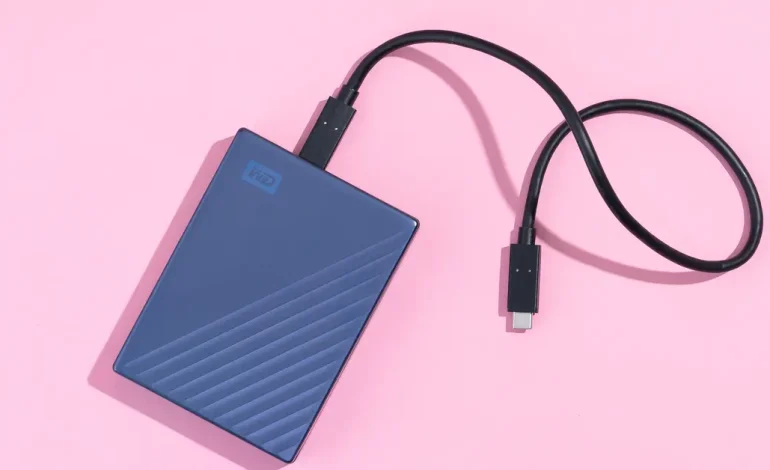
An external hard drive (also known as external HDD and portable hard drive) is an external device for storing digital data from the main computer. Unlike fixed drives, which are fixed inside a computer, an external drive connects through an external port-usually a USB 3.0, USB-C, or Thunderbolt-across many models.
Most external hard drives are magnetic in storage (HDD) while some are solid-state technology (SSD) which makes it perform faster. Between HDD and SSD, there is a difference in the way data is read and written. Read and written on spinning disks for HDD, while flash memory is used by SSD, thus making SSD faster and more durable.
Common Uses of External Hard Drives
The many uses of external hard drives help them attain a highly prized storage tool. Here are the most common uses:
Backup and Recovery:
Backing up data is one of the prime uses of an external hard disk drive. With one simple step, important files on the computer or mobile device can be copied to an external drive so that the data is safe in case of system crashes or malware invasions. Regularly backing up protects against accidental deletion of files, and in case of physical damage to the local drive.
Increased Storage Capacity:
With the growing world of digital content come high-resolution images, 4K video files, and large game files. Internal storage can get quickly saturated; an external hard drive will take care of space without a need to go for an upgrade or replacement of the internal drive of a computer.
Transferring of Large Files:
Perfect for transferring files over device External drives are able to transfer heavy files between devices. Rather than having to upload to the cloud, which can be a slow option and generally requires an Internet connection, external drives provide an immediate way to transfer heavy data from one computer to another.
Media Store and Stream:
Most people download music or videos and movies and keep them on external drives to free up space on their main devices. Some smart TV consoles also encourage the use of direct external hard drives, among which any media could be streamed.
External Office:
It is possible for any employee to store work files on the external drive to access them from different computers learning how to work from home. This also makes it easier for designers, photographers, and video editors to work with huge projects while on the go by having SSDs with enough capacity.
Game Storage:
Actually, many popular and new games may have a size of more than 100 GB. The external hard drives are mostly used by gamers as a storage medium to store and run the games, especially for game consoles such as PlayStation or Xbox, or even for gaming PCs that do not have much internal storage.
Types of External Drives
Though there are many types of drives, the two main types of external drives today are HDD (hard disk drive) and SSD (solid-state drive). Each of them has specific advantages and disadvantages.
External HDD (Hard Disk Drive):
- Uses spinning magnetic platters to read/write data more slowly.
- It provides large storage capacities (up to 20TB), thus driving its affordability.
- Appropriate for long-term data storage and backups.
- Somewhat slower, a bit more delicate due to moving parts.
External SSD (Solid-State Drive):
- Uses flash memory with no moving parts.
- Very much faster than HDDs in both reading and writing.
- Much more durable, shock-resistant, and portable.
- SSDs are, however, more expensive per gigabyte compared to HDDs.
Advantages of External Hard Drives
External hard drives provide many advantages for casual and professional users alike. Here are some of the key benefits:
Large Storage Capacities:
These external hard drives come in small and mid-size capacities from 500GB to upwards of 20TB. That means they are great for storing massive amounts of data in the form of photos, videos, documents, or software backup.
Portability:
Most external drives are small and lightweight enough to put your data into your pocket. Well, be it traveling or working remotely, it amply allows you to access your files.
Convenient to Use:
External drives are usually plug-and-play, so you’ll not have any hassle in setting them up. Simply connect them with USB, and they are ready to use.
Cost-Effective Storage:
External drives usually require a simple one-time cost for lifetime storage rather than ongoing monthly subscriptions. Particularly useful when you need several terabytes of usable space.
Fast Transfer Speed:
Today’s new external drives, especially SSDs, give high transfer speeds when attached to USB 3.1 or Thunderbolt connections and greatly reduce the time during backups and file copies.
Backup and security:
Very easy system and sensitive file backup. Some models come with an extra encryption or password protection layer for further data facilities.
Works Without Internet:
Unlike cloud services, these devices do work offline so that all data will be available from anywhere at any given time without requiring internet connectivity.
Disadvantages of External Hard Drives
Available advantages, external drives also come with side disadvantages one needs to be aware of:
Risk of Physical Damage:
External drives are driven on the go, and thus they fail to escape falls, shocks, or water exposure in the worst situation. HDDs are even sensitive because of their really delicate internal moving components.
Loss of Data:
You could lose stored data as well if the drive gets corrupted or damaged. It can usually be recovered but is generally expensive and not necessarily successful.
Limited Lifespan:
All storage medium has a life of its own. In general, HDD’s can last anywhere between 3 and 5 years, while SSDs can last even longer, depending on usage.
Security Concerns:
An external hard disk can pose a risk of exposing sensitive data if lost or stolen, unless it is encrypted or password-protected.
Port and Compatibility Problems:
Some older computers may not accept the newer ports such as USB-C or Thunderbolt. Likewise, some drives may need to be reformatted to operate with different OS (e.g., Windows vs. Mac OS).
Less Convenient than Cloud Storage:
You have to bring the drive around with you, and it can be accessed only when it’s connected; cloud storage, however, can be accessed from anywhere.
External Hard Drives Price
Various aspects contribute to the pricing of an external hard drive: storage capacity, type (HDD or SSD), brand, and data transfer speed. The following is a rough guideline for prices as 2025.
| Type | Storage Capacity | Average Price (USD) |
| External HDD | 500GB – 1TB | $40 – $60 |
| External HDD | 2TB – 5TB | $70 – $150 |
| External SSD | 500GB – 1TB | $70 – $130 |
| External SSD | 2TB – 4TB | $150 – $400 |
Popular brands include Seagate, Western Digital (WD), Samsung, SanDisk, ADATA, and Crucial. Although SSDs cost more, they are preferred for users who prioritize speed and reliability, while HDDs remain ideal for large-scale, budget-friendly storage.
Maintenance and care tips
To make an external hard disk drive last longer and keep your data protected, here are some tips for taking care of it:
- Handle with care: Do not drop or shake the drive, mainly if it is an HDD.
- Store it in a cool, dry place: Keep it away from heat, moisture, and dust.
- Eject your drive: Always eject the drive before unplugging it to avoid data corruption.
- Backup your data regularly: Backup your data every so often on another device or the cloud.
- Use antivirus protection: Scan your drive regularly to avoid malware infections.
- Avoid maxing it out: Leave about 10%-20% of free space for improved performance.
External Hard Drives vs Cloud Storage
| Feature | External Hard Drive | Cloud Storage |
| Ownership | Full ownership | Subscription-based |
| Internet Needed | No | Yes |
| Accessibility | Limited to device | Access anywhere |
| Security | Depends on user | Managed by provider |
| Speed | Very fast (USB/SSD) | Slower (depends on internet) |
| Cost | One-time purchase | Recurring monthly fee |
| Portability | Physical device | Virtual access |
Both have their pros and cons. Many users prefer a hybrid approach keeping backups on both an external hard drive and the cloud for maximum data security.
What Is an External Hard Disk Useful For?
External hard disks have relevance for numerous categories of users:
- Students: To store assignments, projects, and study materials.
- Professionals: In particular, designers, photographers, and video editors dealing with large files.
- Gamers: To store extensive game libraries.
- Organizations: For secure data backup and file transfers.
- Traveler: Who wants to carry data safely without being connected to the internet.
Conclusion
In the reality of continuous advancement, the storage is no longer a luxury rather a necessity among individuals with reliable and portable alternatives. The external hard drive remains one of the most effective tools for managing, backing up, and exchanging digital data. Indeed, physical defect and lifespan limitation pose some problems, but the advantages affordability, portability, and ease of use of the external hard drive far outweigh these disadvantages.
It doesn’t matter whether you are a student, a professional, or a gamester; having a reliable and high-quality external hard drive will ensure that your important files are easily saved and accessed whenever they are needed. Ultimately, the choice between an HDD and SSD is personal, depending on needs and budget. However, one thing is clear in the digital age-an external hard drive cannot be avoided as an indispensable companion to manage data with security and efficiency.
About The Author