
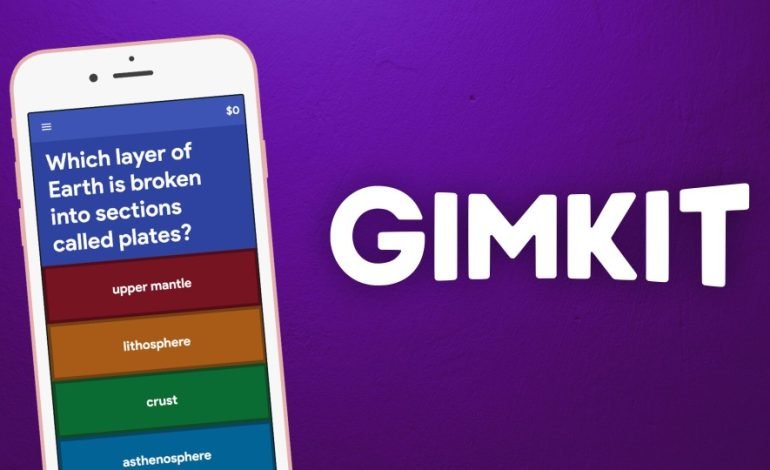
Nowadays, interaction tools are one of the main sources of student engagement in the digital learning environment. One of the fastest developing educational platforms is Gimkit, which is a game-based learning tool created by a high-school student and praised by instructors around the globe. Knowing the function of a Gimkit Host can be a game-changer in the way you manage learning activities, regardless of whether you are a teacher, trainer, or facilitator.
This piece of writing delves into what a Gimkit host is, its operation, hosting features, engagement tips, and best practices for results maximization.
What is a Gimkit Host?
A Gimkit Host is the individual who creates the game, starts it and takes over the live sessions in Gimkit. It could be a teacher, trainer or anyone else organizing a learning activity. With hosting, teachers can choose the game mode, see how students are doing, and change settings while the session is going on.
When a person says “I want to host a Gimkit,” it indicates they are going to:
- Prepare or select a set of questions
- Pick a game mode
- Initiate the live session
- Distribute the join code to students
- Manage gameplay and results
The host is more like the game master who decides how the learning goes on.
How to Become a Gimkit Host
Gimkit host is a straightforward process that does not require any special technical skills. Here’s a step-by-step guide:
Making a Gimkit Account:
Go to the official Gimkit website and register for either a free or paid account. The free version supports basic hosting, while premium subscriptions give access to more game modes and unlimited kits.
Prepare or bring in a Set of Questions:
If you are a host, you can:
- Create your own questions
- Import from Quizlet
- Use public kits made by other teachers
This ability to choose makes hosting quicker and easier.
Select a Game Mode:
There are various game modes in Gimkit that comprise of:
- Classic
- Trust No One (like Among Us)
- Fishtopia
- Race Mode
- Team Mode
- Survivor
- Draw That
Every mode features its own unique pace and collaboration level. The teacher selects the mode that best suits the lesson.
Start the Game and Provide the Code:
A Game Code is produced by Gimkit as soon as the mode is selected. The students have to type in the code at gimkit.com/play to participate.
Control Gameplay:
At the beginning of the game, the hosting instructor takes charge of:
- Timer
- Power-ups
- Game rules
- Student monitoring
- End of the game
Hosting Gimkit means you get to completely manage the game setting in the classroom.
Why Being a Gimkit Host Matters
It is not merely a matter of hitting the button to start the hosting of a Gimkit game. The host is the one who makes the learning process. There are reasons for the importance of the role of “Gimkit Host”:
You Control Engagement:
A great host has the ability to:
- Select game modes that are fun
- Tweak the level of difficulty
- Win over the participants
- Include power-ups to add thrill
This practice keeps the atmosphere lively and eliminates the chances of disturbances.
You Personalize Learning:
At the same time, a Gimkit host can add games that suit:
- The subject
- The class
- The learning objectives
- The particular strengths and weaknesses of each student
Such a personalization is a great aid to the process of learning.
You Track Student Progress:
Gimkit hosts are provided with the opportunity to see:
- Students’ scores
- Accuracy
- Participation analytics
Teacher can use this information for improving teaching and for discovering the areas where students are having difficulty.
You Build Classroom Community:
Students play a game and become more collaborative, communicative and team-oriented.
An ideal Gimkit host will operate in such a way that he or she employs game modes that foster group work and positive interaction.
Key Features Available to Gimkit Hosts
Gimkit has provided a set of tools for the hosts. The features increase the game experience, whether you are hosting for fun or educational purposes.
Live Game Monitoring:
The host dashboard reveals:
- Active students
- Answers that are correct/incorrect
- Money earned (in most modes)
- Team performance
Real-time monitoring assists hosts in delivering feedback instantly.
Adjustable Game Settings:
Hosts can set:
- The time limits
- The target cash amount
- The power-up availability
- The music/sound settings
- The player limits
Thus, you can come up with games that are in line with the classroom dynamics.
Assignments Mode:
The Gimkit host can set asynchronous assignments where students do kits at their own pace. This is perfect for homework, review, or online learning.
Host Controls for Fair Play:
The host can do the following:
- Eject players
- Halt player screens
- Bar inappropriate names
- Restart the game
Thus, a game atmosphere that is safe and respectful is ensured.
Reporting and Analytics:
The game has ended, and as a result, Gimkit automatically produces comprehensive reports that illustrate:
- Total number of questions answered
- Percentage of correctness
- Pattern of incorrect questions
Such analytics make the host’s task easier regarding the assessment of students’ comprehension of the topic.
How to Be a Great Gimkit Host
The role of a host on Gimkit is not restricted to just starting a game. It involves blending strategy, creativity and control over the class at the same time. Here are some ways to be a winner of a host in Gimkit:
Choose the Right Game Mode:
Match game mode with your learning objective:
- Quick review → Classic
- Collaboration → Team mode
- Fun Fridays → Fishtopia / Trust No One
- Speed practice → Race mode
Great hosts mix it up in order to keep the students interested.
Keep Question Sets Balanced:
A balanced kit contains:
- Easy questions for building confidence
- Moderate questions for reinforcement
- Hard questions for challenge
Make sure that your questions are not very long or too confusing—let the students understand and not be unnecessarily struggling.
Set Clear Rules Before the Game:
A great host sets:
- Duration
- Conduct standards
- Participation rules
- Rewards or prizes
When rules are clear there will be fewer disruptions.
Encourage Friendly Competition:
Make students excited by:
- Recognizing the winners
- Emphasizing effort, not only scores
- Using power-ups in an innovative way
- Letting students sometimes choose the game modes
A motivated class learns quicker and relishes the experience.
Use Data to Improve Teaching:
After the game, analyze the data:
- Spot weak points
- Eliminate common mistakes
- Adjust your lessons in the future
The best Gimkit host is the one who turns the game’s insights into better learning outcomes.
Advantages of Using Gimkit as a Host
The hosting of Gimkit is a benefit to both instructors and learners alike. The most important advantages are:
Learning with High Engagement: Gimkit puts together amusement and education, thus having students keep motivated all through the learning process.
User-Friendly: A game can be hosted even by a person who has never done this before, and all takes only a few minutes.
Adjustable: Everything from questions to game rules can be altered by the host.
All Subjects Are Supported: Mathematics, science, English, history—any subject can have a kit created by the host.
Feedback in Real-Time: Instant correction makes the learning memory stronger.
✔ Ideal for Remote or Hybrid Teaching: The flexibility of the game modes makes Gimkit very suitable for online classes.
Common Challenges for Gimkit Hosts (And How to Overcome Them)
- Fake Name Students: The “Require Names” feature can be enabled by hosts or kick out inappropriate names instantly.
- Issues with Internet: Students should be encouraged to join early and in case of disconnection, they should reconnect calmly.
- Over-Competition Among Students: Game modes that are balanced and team-based activities lower the amount of rivalry.
- Class Size is Large: Team modes or dividing students into groups is a better way of controlling them.
Gimkit Host vs Other EdTech Hosts
What are the main differences between a Gimkit host and hosting on Kahoot or Quizizz?
| Feature | Gimkit Host | Kahoot Host | Quizizz Host |
| Money-based gameplay | Yes | No | No |
| Strategy elements | Strong | Medium | Medium |
| Game modes | Many unique modes | Limited | Many but less interactive |
| Student pace | Self-paced + live | Fast-paced | Self-paced |
| Host analytics | Detailed | Good | Good |
Gimkit hosting is characterized by strategy, unique modes, and excellent student engagement.
Why Teachers Love Being a Gimkit Host
Gimkit is the most preferred game for teachers as hosting brings the following benefits:
- Effective and easy class management
- Making the lessons very interactive
- Better attention from students
- Assessment of understanding through fun activities
- Less time for preparation
A good Gimkit host transforms a regular lesson into an amazing one that students keep discussing for a long time after the class is over.
Conclusion
Becoming a Gimkit Host is the ticket to a more attractive, interactive, and even fun learning experience. The whole teaching and learning process is under the teacher’s control through game mode selection, student progress monitoring, and using analytics for improvement.
That goes for teaching in a classroom, online sessions, or even a training workshop; being excellent at Gimkit hosting will not only amplify but also to a large extent determine the impact of your lessons. If you have the right strategies, creativity, and understanding of your students, you will be an effective and memorable Gimkit Host.
About The Author